
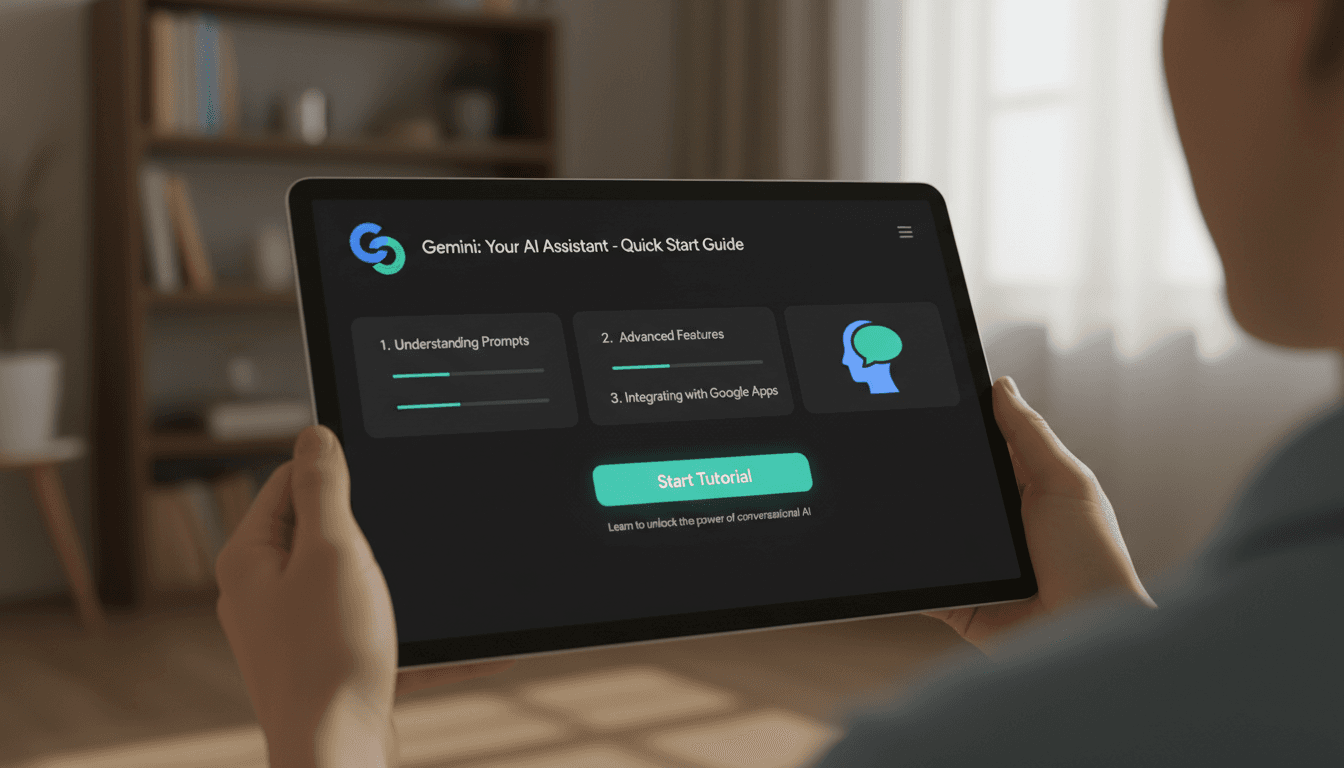
Google Gemini for Small Business: Complete Getting Started
This comprehensive guide walks you through everything you need to know to begin leveraging Gemini in your small business operations.
Running a small business means wearing a dozen hats every single day. You're the marketer, the customer service rep, the accountant, and the strategic planner all rolled into one. What if you could clone yourself—or at least get a tireless assistant who never sleeps, never complains, and can draft emails, create content, and analyze data in seconds?
That's essentially what Google's Gemini AI offers small business owners. And the best part? You don't need to be a tech wizard to start using it today.
This comprehensive guide walks you through everything you need to know to begin leveraging Gemini in your small business operations. Whether you've never touched an AI tool before or you're curious about taking your productivity to the next level, you'll find practical, actionable steps that you can implement immediately.
What Exactly Is Google Gemini and Why Should Small Business Owners Care?
Before diving into the how-to, let's establish what we're actually working with. Google Gemini represents Google's most advanced family of artificial intelligence models. Think of it as a highly capable digital assistant that can understand and generate text, analyze images and documents, summarize lengthy information, and help automate routine tasks that eat up your precious time.
For small business owners specifically, Gemini translates into real, tangible benefits across several key areas:
Marketing and Content Creation: Gemini can help you write compelling marketing copy, craft social media posts, develop product descriptions, and outline newsletters—all tailored to your specific brand voice and target audience.
Communication and Customer Service: The AI excels at drafting professional emails, responding to customer inquiries, creating follow-up messages, and ensuring your business communications are clear and effective.
Planning and Organization: From project planning to creating standard operating procedures, Gemini can help you structure your business operations more efficiently.
Data Analysis and Insights: Have a spreadsheet full of sales data or a lengthy report you need to understand quickly? Gemini can analyze documents and pull out the key insights you need to make informed decisions.
The technology behind Gemini is sophisticated, but using it is remarkably straightforward—which is exactly why it's becoming an essential tool for small businesses looking to compete more effectively.
Choosing Your Gemini Access Point: Finding the Right Fit for Your Business
One of the first decisions you'll need to make is how you want to access Gemini. Google has made the AI available through several different channels, each suited to different needs and technical comfort levels.
The Browser-Based Chat Interface
For absolute beginners, the simplest entry point is the Gemini chat interface available directly through your web browser. This provides a straightforward "ask a question, get an answer" experience that requires zero technical setup.
You simply visit the Gemini website, type your question or request, and receive an AI-generated response. It's conversational, intuitive, and perfect for getting your feet wet with AI assistance.
Gemini for Google Workspace
If your business already operates within the Google ecosystem—using Gmail, Google Docs, Sheets, and Slides—then Gemini for Google Workspace might be your ideal solution. This add-on integrates AI capabilities directly into the tools you're already using every day.
With plans like Gemini Business or Gemini Enterprise, you'll find AI assistance appearing right where you need it: inside your email drafts, within your documents, embedded in your spreadsheets, and available in your presentation software. This seamless integration means you don't have to switch between applications or learn an entirely new tool.
Advanced Options for Later
As you become more comfortable with Gemini's capabilities, you may want to explore more advanced access methods. The Gemini API and Google AI Studio offer opportunities for custom integrations and automation—like building a chatbot for your website or creating specialized internal tools. However, these options are entirely optional and best explored after you've mastered the fundamentals.
Setting Up Your Gemini Access: A Step-by-Step Walkthrough
Getting started with Gemini requires no coding knowledge whatsoever. Here's how to set up your access and confirm everything is working properly.
Step One: Ensure You Have a Google Account
Gemini requires a Google account to function. This can be either a personal Google account or, ideally for business purposes, a Google Workspace account associated with your company. If you're already using Gmail or Google Drive for business, you're already set.
Step Two: Enable Gemini for Workspace (If Applicable)
If your business uses Google Workspace and you want the integrated experience, you'll need to work with whoever manages your Google accounts to enable a Gemini plan. The Gemini Business tier is typically the most appropriate starting point for small businesses.
This administrative step unlocks AI assistance across your entire Workspace suite, including Gmail, Docs, Sheets, Slides, and even Google Meet. If you manage your own Workspace account, you can typically enable this through your admin console.
Step Three: Verify Your Access
Once your account is set up, open the Gemini chat interface in your browser. Type a simple test question—something like "What are three ways AI can help a small business?"—and confirm you receive a coherent response. If everything works as expected, you're ready to start putting Gemini to work.
Mastering the Art of Prompting: How to Get Better Results from Gemini
The quality of Gemini's output directly correlates with the quality of your input. This concept—known as "prompting"—is simply the practice of crafting clear, specific instructions that help the AI understand exactly what you need.
Think of prompting like delegating to a new employee. The more context and clarity you provide, the better results you'll receive. Vague instructions lead to vague outputs; precise instructions lead to precisely what you need.
The Anatomy of an Effective Prompt
Every strong prompt typically includes several key components that guide Gemini toward producing useful results.
Role Assignment: Tell Gemini what role it should assume. For example: "You are a marketing assistant for a local bakery" or "Act as a customer service representative for a plumbing company." This framing helps the AI understand the perspective and tone it should adopt.
Clear Goal Statement: Explicitly state what you want to accomplish. "Help me write a friendly email to past customers about our spring sale" is much more effective than "write an email about sales."
Relevant Context: Include important details about your business, your audience, and the specific situation. The more relevant information you provide, the more tailored the output will be.
Constraints and Parameters: Specify any limitations or requirements. This might include word count ("keep it under 200 words"), tone ("professional but warm"), format ("use bullet points"), or platform ("this is for LinkedIn").
Practical Prompting Examples
Here's what moving from a basic prompt to an effective prompt looks like in practice:
Basic Prompt: "Write a social media post about my sale."
Effective Prompt: "You are a social media manager for a boutique clothing store targeting women aged 25-45. Write an engaging Instagram caption announcing our 30% off spring clearance sale running this weekend only. Include a call-to-action, use a friendly and excited tone, and keep it under 150 words. Add relevant emoji suggestions."
Notice how the second prompt provides role, goal, context, and specific constraints. This level of detail dramatically improves the relevance and usability of Gemini's response.
High-Impact Use Cases: Where to Start for Maximum Value
With thousands of potential applications, knowing where to begin can feel overwhelming. Based on what delivers the fastest, most tangible results for small businesses, focus your initial efforts on these three high-impact areas.
Email and Customer Communication
Email is the backbone of business communication, yet it consumes enormous amounts of time. Gemini can transform this bottleneck into an efficient, streamlined process.
Use Gemini to draft responses to customer inquiries, create follow-up messages after meetings or sales calls, develop templates for common situations (quotes, order confirmations, complaint resolutions), and compose professional outreach emails. The AI handles the heavy lifting of initial drafting, while you maintain control through quick edits and personalization.
For example, when a customer emails asking about your services, you can paste their message into Gemini with a prompt like: "Draft a friendly, professional response to this customer inquiry. Include relevant information about our services, answer their specific questions, and suggest a next step. Keep the tone warm but professional."
Marketing Content Creation
Content creation often falls by the wayside for time-strapped small business owners. Gemini can help you maintain a consistent marketing presence without the usual time investment.
Generate social media posts tailored to specific platforms—each has its own conventions and audience expectations. Create product descriptions that highlight benefits and features compellingly. Develop email newsletter content that keeps your audience engaged. Draft blog post outlines or complete articles that establish your expertise.
The key is to provide Gemini with context about your brand voice, target audience, and platform requirements. A LinkedIn post sounds very different from an Instagram caption, and Gemini can adapt accordingly when given appropriate guidance.
Research, Summaries, and Information Processing
Small business owners constantly need to process information quickly—contracts, proposals, industry reports, lengthy email threads, and more. Gemini excels at distilling complex or lengthy content into actionable summaries.
Paste a long email chain and ask for a summary of key points and decisions. Upload a proposal and request an analysis of main terms, potential risks, and recommended questions. Share a competitor's content and ask for an outline of their key messaging and approach.
This capability alone can save hours of reading and analysis time, helping you make faster, more informed decisions.
A Critical Best Practice
Regardless of which use case you're exploring, always review and refine Gemini's output before using it externally. The AI is remarkably capable, but it isn't perfect. Every email that goes to a customer, every social post that represents your brand, and every piece of content that carries your name should receive human oversight to ensure accuracy, appropriateness, and alignment with your brand.
Integrating Gemini Into Your Existing Workflow: Docs, Sheets, and Slides
Once you're comfortable with the chat interface, the real productivity gains come from using Gemini within your existing Google Workspace tools. This integration means AI assistance appears exactly where you're already working, eliminating context-switching and reducing the learning curve.
Gemini in Google Docs
Your document workflow can become significantly more efficient with Gemini integration. Consider these practical applications:
First Drafts: Instead of staring at a blank page, ask Gemini to generate a first draft of blog posts, FAQ pages, contract outlines, employee procedures, or any other document type. You then refine, edit, and add your expertise.
Editing and Refinement: Use Gemini to help improve existing text—making it more concise, adjusting the tone, or restructuring for better flow.
Ideation and Brainstorming: When you're stuck, Gemini can suggest approaches, outline structures, or generate ideas that spark your own creativity.
Gemini in Google Sheets
Data and spreadsheet work often involves repetitive tasks or requires specialized knowledge. Gemini can help bridge those gaps:
Template Creation: Ask Gemini to generate project tracking templates, budget worksheets, inventory management systems, or scheduling tools complete with appropriate columns and organizational structure.
Formula Assistance: Describe what you want to calculate, and Gemini can suggest or create the formulas you need—even complex ones that might otherwise require significant research.
Data Analysis: With your data in a sheet, ask Gemini to identify trends, highlight outliers, or summarize key findings in plain language.
Gemini in Google Slides
Presentation creation often takes longer than the actual presenting. Gemini can accelerate your preparation:
Outline Generation: Describe your presentation topic and audience, and Gemini can suggest a logical structure with slide titles and key points for each section.
Talking Points: For each slide, ask Gemini to generate bullet points, supporting statistics (that you verify), or speaker notes that help you deliver your message effectively.
Content Refinement: Use Gemini to make your slide text more concise and impactful, or to suggest alternative ways to present complex information.
The beauty of this integrated approach is that it keeps everything within your normal workflows. You're not learning a completely new system; you're enhancing the tools you already know and use daily.
Creating Reusable Prompt Templates for Your Team
As you discover prompts that consistently deliver great results, the next step is transforming them into standardized templates that your entire team can use. This approach ensures consistency, saves training time, and multiplies the productivity benefits across your organization.
Why Standardized Prompts Matter
When each team member creates their own prompts from scratch, you get inconsistent results. Some outputs will be excellent; others will miss the mark. Standardized prompt templates solve this problem by encoding your best practices into reusable formats.
Think of these templates as recipes. Just as a recipe ensures consistent quality whether you or your employee follows it, a prompt template ensures consistent AI output regardless of who's using it.
Building Your Prompt Library
Start by documenting the prompts that work well for common tasks in your business. Create a shared document—a Google Doc works perfectly—where you store these templates organized by category.
Here are examples of how these templates might look:
Customer Service Response Template: "Reply to a customer asking about [PRODUCT/SERVICE]. Be friendly and clear, acknowledge their specific question, provide accurate information, offer a clear next step, and keep the response under 150 words."
Social Media Post Template: "Create a [PLATFORM] post for [BUSINESS TYPE] announcing [TOPIC/OFFER]. Use a [TONE] voice appropriate for our audience of [TARGET DEMOGRAPHIC]. Include a call-to-action and keep it within platform character limits."
Meeting Summary Template: "Summarize the following meeting notes into a brief executive summary with: 1) Key decisions made, 2) Action items with owners, 3) Next steps and deadlines, 4) Any unresolved issues requiring follow-up."
Standard Operating Procedure Template: "Turn these bullet point notes about [PROCESS] into a clear SOP document. Include step-by-step instructions, any relevant checklists, common troubleshooting tips, and use plain English that any new employee could follow."
Implementation Tips
Make your template library easily accessible to all team members who might use it. Include brief instructions on how to fill in the bracketed placeholders with specific information. Encourage team members to share successful prompts so the library can grow over time.
Consider organizing a brief training session where you walk through a few examples, showing how filling in the template leads to useful output. This hands-on demonstration often helps more than written instructions alone.
Exploring Advanced Options: AI Studio and API Integration
For small businesses with technical resources or growing AI ambitions, Google offers more advanced tools that extend Gemini's capabilities beyond the standard interfaces.
Google AI Studio
AI Studio provides a visual, point-and-click environment for exploring advanced prompting techniques and testing different Gemini models. It's more sophisticated than the basic chat interface but doesn't require coding knowledge.
Within AI Studio, you can experiment with different prompt structures to see how they affect output, test your prompts across various model versions, obtain API keys for programmatic access, and explore more complex use cases before committing to development.
This environment serves as an excellent bridge between consumer-level Gemini use and full technical implementation.
The Gemini API
When you're ready to embed AI capabilities into custom tools—like a chatbot on your website, an automated email responder, or internal business applications—the Gemini API makes this possible.
Google provides Software Development Kits for popular programming languages including Python and JavaScript, along with comprehensive documentation and community tutorials. Basic implementations can be surprisingly straightforward, often requiring just a few lines of code to send a prompt and receive a response.
However, API integration isn't necessary for most small businesses. It's an option to explore when your needs grow beyond what the standard interfaces provide.
Establishing Safety and Privacy Guidelines
Artificial intelligence is a powerful tool, and like all powerful tools, it requires thoughtful guidelines to ensure safe, responsible use. Establishing basic rules protects your business, your customers, and your reputation.
Data Sensitivity Awareness
The most critical rule: never input highly sensitive information into any AI system without fully understanding the implications. This includes passwords and access credentials, complete customer databases or personally identifiable information, regulated financial data or health information, confidential business information you're legally obligated to protect, and proprietary information belonging to clients or partners.
If you're uncertain whether certain data is appropriate to use with Gemini, consult with relevant compliance advisors before proceeding.
Human Review Requirements
Make it standard practice that all AI-generated content receives human review before external use. This means every customer email gets read and edited before sending, all marketing content is verified for accuracy and brand alignment, any data analysis or recommendations are validated before decisions are made, and documents are reviewed for errors, hallucinations, or inappropriate content.
This isn't about distrusting the AI—it's about maintaining quality control and ensuring your business reputation remains intact. Gemini is a tool that assists human judgment, not a replacement for it.
Training Your Team
Ensure everyone who uses Gemini understands these guidelines. Document your policies clearly and include them in your prompt template library. Create a culture where asking questions about appropriate use is encouraged, and where catching AI errors is seen as a normal part of the process rather than a failure.
Measuring Value: Your First 30-60 Days
Adopting any new tool requires investment—in time, learning, and potentially money. To ensure Gemini delivers genuine value for your business, approach your initial period as a structured experiment.
Selecting Your Test Processes
Choose two or three specific processes where you'll focus your Gemini experimentation. Good candidates typically share certain characteristics: they're time-consuming, somewhat repetitive, and important but not so critical that errors would be catastrophic.
Common starting points include social media content creation, routine email responses, meeting summaries and follow-ups, first drafts of marketing materials, and data organization and analysis.
Tracking Time and Quality
For your selected processes, document how long tasks typically took before Gemini and how long they take with AI assistance. Note any quality improvements—are emails clearer, is content more engaging, are summaries more useful?
This doesn't need to be scientific precision. Simple estimates and observations provide enough data to make informed decisions about where to expand your use.
Gathering Team Feedback
If others on your team are using Gemini, regularly collect their observations. Which prompts and use cases delivered the most value? Where did the AI struggle or produce unhelpful output? What additional training or templates would help?
This feedback loop is essential for refining your approach and maximizing the return on your AI investment.
Making Informed Decisions
After your experimental period, you should have enough data to answer key questions: Is Gemini saving meaningful time? Is the output quality sufficient for our needs? Where should we expand our use? Where should we pull back?
These evidence-based answers guide your ongoing strategy far better than assumptions or enthusiasm alone.
Building Your Gemini Practice Plan
Reading about Gemini is one thing; actually developing proficiency requires hands-on practice. Here's a suggested framework for your first week of intentional Gemini use.
Day One: Explore the chat interface with simple questions about your industry and business challenges. Get comfortable with the conversational format.
Day Two: Practice prompting fundamentals. Take one task you do regularly and write three increasingly detailed prompts, noting how the output improves with additional context.
Day Three: Focus on email assistance. Draft responses to five real or hypothetical customer inquiries using Gemini, editing each output to match your voice.
Day Four: Create marketing content. Generate social media posts for each platform you use, developing a feel for how to guide Gemini toward platform-appropriate content.
Day Five: Practice summarization and analysis. Take a lengthy document—an article, report, or email thread—and use Gemini to extract key insights.
Day Six: Begin building your prompt template library. Document the prompts that worked well during the week and refine them into reusable formats.
Day Seven: Review and plan. Assess what worked, what didn't, and where you want to focus your continued learning and application.
This structured approach accelerates your learning curve and helps you develop practical skills rather than just theoretical understanding.
Moving Forward: Your Gemini Journey Begins
Artificial intelligence is transforming how businesses operate, and small businesses that embrace these tools gain significant competitive advantages. Gemini offers a remarkably accessible entry point into this transformation—powerful enough to deliver real value, yet simple enough that anyone can start using it today.
The key is to begin. Pick one use case from this guide, try it today, and build from there. Don't worry about mastering everything at once. Small, consistent steps lead to significant capability growth over time.
Remember that Gemini is a tool—an exceptionally capable one, but still a tool that works best when guided by human judgment and expertise. Your knowledge of your business, your customers, and your market remains essential. Gemini simply helps you apply that knowledge more efficiently and at greater scale.
The businesses thriving tomorrow are the ones starting their AI journey today. Your journey begins now.