The 10 AI Tool Categories Driving AI Adoption in Small Businesses
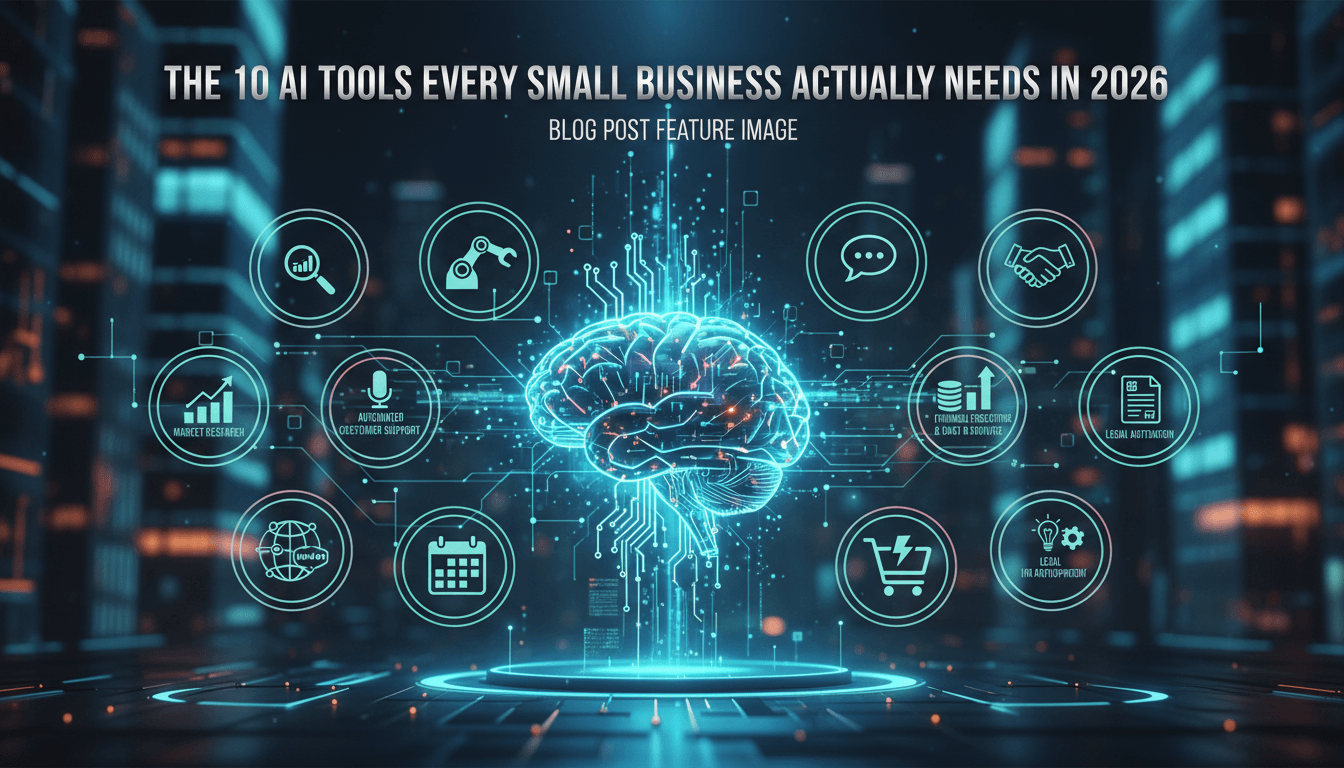
10 categories that small businesses are actually getting good results from AI.
I've been watching small businesses experiment with AI for a while now, and there's a pattern I keep noticing. The ones who succeed aren't the ones grabbing every shiny new app that launches. They're the ones who build what I'd call a real AI stack—a handful of tools that actually work together and cover the basics of running a business.
It's not complicated, but it does require some intention. And honestly, most of the businesses that struggle with AI adoption are just picking tools randomly without thinking about how they fit together.
So let me walk you through the 10 categories that consistently show up in small businesses that are actually getting results from AI. Not every business needs all 10, but understanding the landscape helps you figure out where to start and what comes next.
General AI Assistants: Your Swiss Army Knife
This is where most people begin, and for good reason. Tools like ChatGPT, Claude, and Gemini have become the starting point for small business AI adoption because they're useful for almost everything.
Drafting emails. Brainstorming marketing ideas. Summarizing long documents. Answering random questions about tax deadlines or contract language. These assistants handle the kind of scattered tasks that eat up hours of your week without you really noticing.
What's interesting is that general assistants often become the tool that gets employees comfortable with AI in the first place. Someone uses it to write a tricky customer email, realizes it saved them 20 minutes, and suddenly they're open to trying other AI tools. That confidence-building aspect matters more than people think.
The key is actually using these tools consistently rather than treating them as novelties. I've seen business owners sign up for ChatGPT or Claude, play with it for a day, then forget about it. The value comes from building it into your daily routine.
AI-Powered Office Suites
Here's something that surprises people: some of the most effective AI adoption happens without adding any new platforms at all.
Microsoft 365 Copilot and Google Workspace with Gemini bring AI directly into the tools you're already using. Word, Excel, Gmail, Docs, Sheets—these are places where you spend hours every week anyway. Adding AI there means you get value without learning anything new.
The automation is often invisible but significant. Summarizing email threads. Generating first drafts of reports. Cleaning up messy spreadsheet data. Creating presentation slides from a rough outline. None of these feel revolutionary individually, but they add up to hours saved.
I think embedded AI like this works well because it removes the friction of switching between apps. You don't have to copy text into a separate tool and paste it back. The AI just shows up where you're already working.
Marketing and Content Creation
Marketing is consistently the first function where small businesses see real traction with AI. And that makes sense—content is a bottleneck for almost every small team.
Tools like Jasper handle copywriting. Canva's Magic Studio generates designs. Various image generators create visuals. These tools don't replace creative thinking, but they dramatically speed up the execution side. What used to take half a day might take an hour.
The shift I've noticed is that small businesses can now maintain a content presence that would have required a full marketing hire before. Social posts, email campaigns, blog drafts, ad variations—AI helps produce the volume needed to stay visible without burning out the owner or the one person wearing the marketing hat.
That said, the quality question matters. AI-generated content still needs a human eye. The businesses doing this well use AI to create drafts quickly, then spend their time refining and adding genuine insight rather than starting from scratch every time.
AI CRM and Marketing Automation
This category gets interesting because it's where AI stops being a productivity hack and starts actually affecting business outcomes.
Platforms like HubSpot now use AI to score leads, personalize email sequences, and optimize when messages get sent. The AI learns which customers are most likely to buy, which email subject lines work, and which leads need immediate attention versus nurturing.
What this really does is make small teams competitive with bigger companies that have dedicated sales and marketing departments. The AI handles the analysis and timing that would otherwise require someone watching dashboards all day.
GoHighLevel and similar all-in-one platforms combine CRM, email, SMS, and funnels in one place. That consolidation matters because it means the AI has more data to work with. When your email tool talks to your CRM which talks to your booking system, the AI can make connections you'd never spot manually.
Customer Support and Chatbots
AI chatbots are one of the most visible AI implementations because customers actually interact with them directly.
Tools like Tidio let you put an AI support agent on your website that handles common questions 24/7. Hours of operation. Return policies. Product availability. Basic troubleshooting. The chatbot handles the repetitive stuff and escalates anything complex to a human.
The responsiveness improvement alone changes customer perception. Someone visiting your site at 11pm gets an immediate answer instead of waiting until morning. That matters more than people realize for conversion rates.
I'd add a caution here though. Bad chatbots create worse experiences than no chatbot at all. The key is training them well on your actual content and making sure the handoff to humans is smooth when needed. A chatbot that frustrates customers costs you more than it saves.
Automation and Workflow Orchestration
Once you've got AI generating content and responding to customers, the next logical step is connecting everything so it runs automatically.
Platforms like Zapier and Make are the backbone of real AI stacks. They link your tools together and trigger workflows based on events. Lead fills out a form? The automation enriches the data, creates a CRM record, sends a personalized email, and notifies sales—all without anyone clicking anything.
This is where AI adoption goes from "helpful" to "transformative." Individual AI tools save time on specific tasks. Automation connects those tasks into processes that run without constant human intervention.
Most small teams report using AI plus automation weekly now. And the businesses that see the biggest results are usually the ones who invested time in building out these automated workflows rather than just using AI tools one at a time.
Analytics and Predictive AI
Here's where things get strategic. The businesses that really pull ahead aren't just using AI to do things faster—they're using it to make better decisions.
Tools like Zoho Analytics and various predictive platforms take your business data and turn it into forecasts, dashboards, and recommendations. Churn predictions. Revenue forecasts. Inventory optimization. These used to require expensive consultants or data analysts.
The value here is moving from gut feel to data-informed decisions. Small businesses have always had data, but analyzing it thoroughly was usually too time-consuming. AI changes that equation.
I've seen this matter especially for pricing decisions and resource allocation. Understanding which products actually make money, which customers are at risk of leaving, and where growth opportunities exist—that kind of insight used to be reserved for companies with analytics teams.
Accounting and Cash-Flow AI
Finance is an area where AI delivers fast, measurable ROI because the pain points are so concrete.
QuickBooks AI and similar tools now automate bank reconciliation, categorize expenses, and generate cash flow projections. They track invoices, send payment reminders, and flag unusual transactions. The time savings are obvious, but the accuracy improvement might matter even more.
For small business owners, staying on top of money is often one of the most stressful parts of the job. Having AI handle the routine bookkeeping and catch errors before they compound means less anxiety and fewer surprises.
And there's a secondary benefit when you eventually need financing or want to sell. Clean, organized financial data makes those conversations much easier. The AI isn't just saving time today—it's preparing you for future opportunities.
Security and Risk Management
This category doesn't get talked about enough. As AI usage grows in your business, so does your attack surface. More connected tools mean more potential entry points for bad actors.
SMB-oriented security tools now use AI to detect phishing attempts, suspicious behavior, and infrastructure problems faster than humans ever could. They analyze patterns across your systems and flag threats in real time.
I'd put this in the "non-negotiable" category for any business that's seriously adopting AI. The security considerations aren't theoretical—small businesses are actually targeted more often now because attackers know security tends to be weaker there.
The good news is that AI-powered security doesn't require expertise to set up. Many solutions run in the background, learning what normal looks like for your business and alerting you when something seems off.
Industry-Specific AI Tools
Finally, many successful small businesses adopt one or two AI tools built specifically for their industry or core workflow.
These might be AI scheduling assistants for service businesses. Project management platforms with AI for agencies. Specialized tools for healthcare, legal, real estate, or whatever sector you're in. The common thread is that they embed AI into the day-to-day tasks that actually drive revenue for that particular type of business.
Industry-specific tools often unlock what I'd call the "last mile" of value. Generic AI capabilities are powerful, but a tool that understands the regulations, terminology, and patterns of your specific field can go further.
If you're in e-commerce, for example, AI tools tuned for product recommendations and inventory work better than general-purpose analytics. If you're in professional services, AI that understands project billing and client communication adds more value than tools designed for retail.
Building Your Stack: The Practical Sequence
Research shows the average small business now uses 4-5 AI tools. Not 20. Not 1. A focused stack that covers the essentials without overwhelming the team.
The sequence most businesses follow looks something like this:
Start with a general AI assistant and whatever AI features come with your existing office tools. This builds confidence and shows immediate time savings. Then add marketing and content AI plus a basic chatbot for customer questions. These address two of the most common bottlenecks for small teams.
After that, connect everything with an automation platform. This is where isolated tools become a real system. Then layer in analytics and finance AI to improve decision-making and cash flow visibility.
Security and industry-specific tools usually come once the core stack is stable. You want the foundation working before you add specialized components.
The key throughout is running actual experiments with clear success metrics. Hours saved. Errors reduced. Leads generated. Revenue attributed. If you can't measure whether a tool is working, you'll never know if it's worth keeping.
What Actually Matters
The businesses that succeed with AI aren't necessarily using the most sophisticated tools or the largest number of them. They're the ones who picked tools that integrate well, built them into daily workflows, and actually measured results.
Starting with your biggest pain point rather than the flashiest technology makes a real difference. If content creation is your bottleneck, start there. If customer support is overwhelming, start there. If you're drowning in admin tasks, start there.
And maybe most importantly—give each tool time to actually work before adding the next one. I see a lot of small businesses cycling through AI tools every few weeks, never giving any of them enough time to become part of how the business actually operates.
The goal isn't to have the most impressive AI stack. It's to have tools that genuinely make your business run better. Sometimes that's five tools working together seamlessly. Sometimes it's three. The number matters less than the integration and the results.