How to Use AI to Run a Small Business Like a Big Team
Running a small business with fewer than five people often means wearing every hat in the closet. You're the marketer, the sales rep, the customer service ...
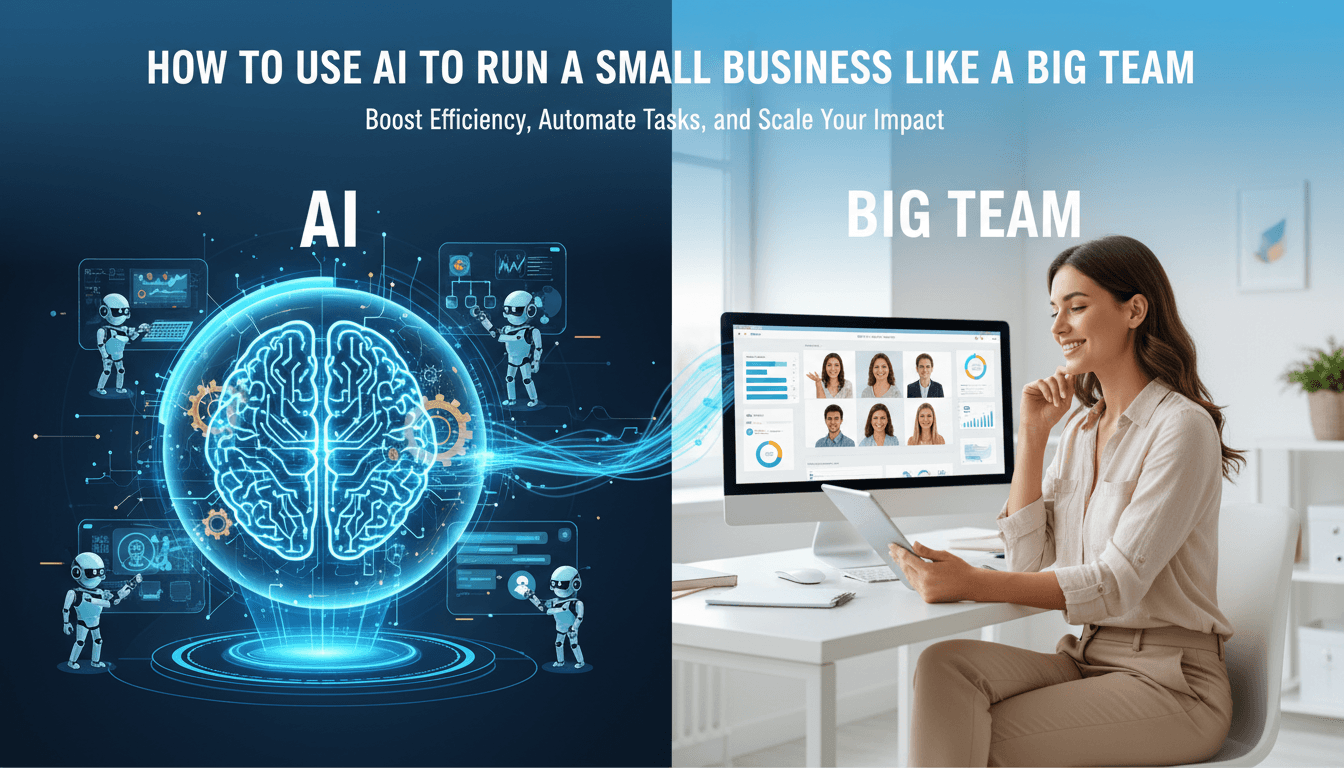
Running a small business with fewer than five people often means wearing every hat in the closet. You're the marketer, the sales rep, the customer service team, the operations manager, and the bookkeeper, sometimes all before lunch. It's exhausting, and it limits how much you can actually grow.
But here's what's changing the game for small business owners in 2025: artificial intelligence isn't just for enterprise companies with dedicated IT departments anymore. When used strategically, AI can help a three-person team operate with the output and professionalism of a company three or four times its size. The secret isn't about collecting a bunch of random AI tools and hoping for the best. It's about treating AI as digital staff members with specific roles and responsibilities.
This guide walks you through exactly how to build your AI team, function by function. We'll cover the practical steps, the tools that actually work, and how to implement everything without overwhelming yourself or your small crew.
Why Small Businesses Are Perfectly Positioned for AI
There's an interesting paradox at play. Large companies have bigger budgets for AI, but they also have layers of bureaucracy, legacy systems, and approval processes that slow everything down. A small business with three to five people can decide to implement something new on Monday and have it running by Friday.
This agility matters more than most people realize. When you're small, every hour you save compounds. If AI helps you reclaim just two hours per day across your team, that's essentially gaining a part-time employee without the salary, benefits, or office space. Over a year, those hours add up to thousands of dollars in either saved labor costs or increased capacity to take on more clients and projects.
The key mindset shift is thinking of AI not as magic software but as a collection of junior employees who are very good at specific tasks but need supervision and clear instructions. They work around the clock, they don't call in sick, and they scale instantly when you need more output. But they also make mistakes if you don't guide them properly, and they can't replace human judgment on important decisions.
Starting With an AI Audit of Your Business
Before you sign up for any new tools, spend an hour mapping out where AI can actually help your specific business. Jumping straight to tools is like hiring employees before you know what jobs need filling.
For every person on your team, including yourself, identify the top five recurring tasks that happen every single week. Then filter those tasks through a simple test. Ask yourself whether each task is rules-based or heavily involves writing or data. Consider whether it absolutely requires your personal judgment or physical presence. Think about how many hours per week it currently consumes.
The tasks that score high on time consumption but low on required personal judgment are your prime candidates for AI assistance. In most small businesses, these high-leverage areas cluster around inbox management and basic customer replies, content creation and marketing assets, scheduling and administrative coordination, basic bookkeeping and financial reporting, and drafting documents like policies, proposals, and standard operating procedures.
The temptation is to try automating everything at once. Resist it. Start with one or two tasks per major function of your business. Get those working well before expanding. This prevents the overwhelm that causes most small business AI initiatives to fizzle out after a few weeks.
Building Your Core AI Team
Think in terms of job functions first, then match tools to those functions. This approach prevents the common trap of accumulating random AI subscriptions that don't work together as a system.
Your small business needs five core AI "team members" regardless of your industry.
The first is a strategy and research analyst. This role is filled by a general-purpose large language model like ChatGPT, Claude, or Google Gemini. This AI team member helps you research markets, analyze competitors, synthesize information into actionable insights, and think through strategic decisions. If you're curious about setting up these tools, our guide on how to set up ChatGPT for your small business covers the basics.
The second role is a marketing copywriter and designer. AI writing tools combined with design platforms like Canva AI handle content creation at scale. This team member produces blog drafts, email copy, social media posts, ad variations, and visual assets.
Third, you need an operations and workflow coordinator. Automation platforms like Zapier, Make, or n8n serve as the connective tissue between all your apps, with AI adding intelligence to those connections. Our tutorial on setting up Make.com for your small business walks through this in detail.
Fourth is a sales and customer support representative. Website chatbots, AI-assisted email, and voice agents handle front-line interactions with prospects and customers.
Finally, you need a bookkeeper and business analyst. AI-enhanced accounting software and reporting dashboards keep your finances organized and give you visibility into what's actually happening in your business.
The specific products you use for each role can vary. What matters is covering all five functions in a coordinated way.
Your AI Chief of Staff for Strategy and Research
As the founder or leader of a small business, your time is the most valuable and constrained resource. A general-purpose AI becomes your personal chief of staff, handling research and preparation so you can focus on decisions and relationships.
The typical uses here are surprisingly broad. You can ask your AI to research a market segment, a competitor, or a potential partnership opportunity and synthesize everything into a two-page summary with clear takeaways. When you need to create internal documentation like policies, standard operating procedures, training guides, or job descriptions, AI produces solid first drafts in minutes instead of hours.
After calls or meetings, feeding the transcript or your rough notes into AI produces clean action items, organized next steps, and even draft project plans. This alone can save hours of administrative work every week.
Here's a practical example of how this works. Let's say you're considering launching a new service offering. Ask your AI to structure the offer including positioning options, pricing hypotheses based on competitor research, and the most likely customer objections you'll need to address. What would take you half a day of research and thinking becomes a 30-minute conversation with AI that produces a solid starting framework.
Another powerful application involves customer feedback. Export anonymized data from your CRM or support tickets, feed it to AI, and ask for the top themes, patterns, and prioritized fixes. You get customer intelligence that would normally require a dedicated analyst.
The key to getting good results is treating AI like a knowledgeable colleague rather than a search engine. Provide context about your business. Give examples of what good looks like. Iterate on the output instead of expecting perfection on the first try. If you want to explore different ways to approach these conversations, check out our guide on how to brainstorm with AI.
Transforming Marketing With Almost No Team
Marketing is where AI creates the biggest leverage for small businesses. With fewer than five people, you simply cannot produce enough content to compete with larger companies using traditional methods. AI changes this equation dramatically.
Content Creation at Scale
The goal isn't to have AI replace your thinking about marketing. It's to have AI do 80 to 90 percent of the production lift while your team handles the final 10 to 20 percent of editing, quality control, and strategic judgment.
For written content like blog posts, emails, social media posts, and ad copy, AI writing tools produce drafts that capture your brand voice once you train them with examples. The first few pieces require more editing, but the system improves as you provide feedback on what works and what doesn't.
For visuals, Canva AI generates social graphics, simple ads, brochures, and images without requiring design skills. You describe what you need, select from options, and customize. It's not going to win design awards, but it produces professional-quality assets consistently.
One of the most powerful applications is content repurposing. You record one 20-minute video or write one substantial article, and AI transforms it into a dozen or more derivative pieces. The AI summarizes the content, outlines derivative posts for different platforms, generates 10 to 20 social snippets with different angles, and creates three or four email versions. You then use Canva AI to create matching visuals for each piece and schedule everything through your social media management tool.
This workflow means one person can produce what used to require a content writer, a social media manager, and a graphic designer working together.
Building Marketing Infrastructure
Beyond content, AI helps you quickly stand up the systems and funnels that turn attention into revenue. It drafts lead magnets, landing page copy, and opt-in flows based on your offers and audience. It proposes A/B test ideas for headlines, offers, and creatives so you're not guessing at what to try. It sets up basic automation sequences for welcome emails, nurture series, and re-engagement campaigns.
For a deeper dive into automating your social media specifically, our guide on automating social media with AI covers the practical workflow.
AI as Your Sales Team
If you don't have a dedicated sales team, AI can function as your prospecting assistant and junior sales development representative.
Lead research that used to require hours of manual work now happens in minutes. AI tools and enrichment platforms help you build targeted lists using LinkedIn data, company information, and web research. You define your ideal customer profile, and AI finds companies and people that match.
For outreach, AI drafts personalized cold emails and LinkedIn messages at scale. The key word is "personalized." These aren't generic templates that get ignored. AI references specific details about each prospect's company, role, or recent activities, making the outreach feel human even when you're sending hundreds of messages.
Integrating scheduling tools with AI-generated outreach removes the back-and-forth of booking meetings. Prospects self-schedule directly from your outreach messages, which dramatically increases conversion rates and eliminates administrative headaches.
During sales calls, AI meeting assistants record and summarize conversations, pull out objections and buying signals, identify next steps, and automatically update your CRM. This alone can save 15 to 30 minutes per call in follow-up work, and it ensures nothing falls through the cracks.
The combined effect is that one person can handle deal flow that would normally require two or three SDRs plus an assistant. You're not replacing the human relationship-building that closes deals. You're eliminating all the busywork that used to surround it.
Customer Service That Runs While You Sleep
For a tiny team, the goal with customer service is making customers feel supported 24 hours a day while humans only step in when it actually matters.
First-Line Support That Handles the Basics
Website chatbots have come a long way from the frustrating experiences of a few years ago. Modern AI chatbots answer FAQs accurately, handle simple bookings and orders, capture lead information, and route complex questions to humans. For common questions, customers get instant answers at 3 AM without anyone on your team losing sleep.
Email support becomes much faster when AI proposes courteous, helpful replies to incoming messages. Your team reviews the draft, makes any needed adjustments, and sends. What used to take 10 minutes per email now takes 2 minutes.
For reviews and social media replies, AI drafts personalized responses in your brand voice. This ensures you respond to every review and message consistently, which matters for both reputation and search engine visibility.
Voice and Phone Support
AI voice agents now handle common inbound calls with natural-sounding conversations. They can answer basic questions, qualify leads, route calls to the right person, and schedule appointments. For many businesses, this eliminates the need for a receptionist or answering service while providing better availability.
The strategy is keeping humans on second-level support for complex issues, high-value accounts, and situations requiring real judgment and empathy. AI handles the volume and routine; humans handle the exceptions and opportunities.
If you're interested in implementing voice AI specifically, our guide on setting up Vapi AI voice agents walks through the process. Vapi is truly a great AI tool for serious business, but I've also spents hours getting lost in making different characters and listening to them interact with each other. If you do pay them a visit please use our affiliate link HERE, it helps us keep the lights on. Thank you.
Operations and Workflow Automation
This is where you convert scattered AI tools into systematic time savings. The magic happens when AI intelligence combines with workflow automation to handle entire processes, not just individual tasks.
Finding Your Best Automation Candidates
Look for tasks where data comes in from defined sources like forms, email, your CRM, or payment systems. The actions taken are standardized, such as sending notifications, updating records, routing messages, or assigning tasks. And the decisions involved are simple enough to express as rules or AI classification.
For small teams, the highest-impact automations usually follow patterns like these. When a new lead comes in, AI qualifies them based on defined criteria, tags them appropriately in your CRM, sends a tailored introduction email, and creates a follow-up task for your team.
When a new order arrives, the system automatically confirms receipt, sends onboarding resources appropriate to what they purchased, notifies your operations team, and creates a project in your management tool.
When a support ticket comes in, AI categorizes the type of issue, summarizes the request, determines priority, and routes it to the right person with full context.
Each of these automations might only save 10 to 15 minutes per occurrence. But multiply that by dozens of occurrences per week, and you're reclaiming serious time.
Building Your Automation Layer
Platforms like Zapier, Make, and n8n serve as the connective tissue between your applications. They trigger actions when certain events happen and move data between systems automatically.
The key advancement in the past year is embedding AI steps within these workflows. Instead of just moving data from point A to point B, the workflow can now classify information, summarize content, draft responses, or make routing decisions. This turns simple automations into intelligent processes.
Start small. Build two or three automations that each reliably save at least one to two hours per week. Get those running smoothly, then expand. Trying to automate everything at once usually results in a tangled mess that breaks constantly and requires more maintenance than it saves.
Finance, Admin, and Compliance
You still need a real accountant and legal support for high-stakes decisions. AI doesn't replace professional judgment on tax strategy, contracts with major implications, or regulatory compliance. But AI can handle the grunt work that makes those professionals more effective and keeps your core team focused on customers and revenue.
Accounting software like QuickBooks already uses AI for bank feed categorization, invoice matching, and anomaly detection. These features save hours of manual data entry and catch errors before they compound. For setting this up properly, see our guide on QuickBooks AI for your small business.
Reporting and analysis become accessible without a data analyst on staff. AI-enabled business intelligence tools and spreadsheet assistants build dashboards and answer questions like "which customer segments are most profitable?" or "how does this month compare to the same period last year?" These insights used to require either expensive consultants or significant time investment.
Document drafting covers contracts, policies, and internal procedures. AI generates solid first drafts that professionals can then review and refine. This is much more efficient than starting from scratch every time, especially for documents you need variations of regularly.
The pattern is consistent: AI handles the production and preparation, humans handle the review and decisions. Your bookkeeper reviews categorized transactions rather than categorizing them. Your lawyer reviews and edits a draft contract rather than writing one from scratch. You analyze a dashboard rather than building it.
A Month-by-Month Implementation Plan
The biggest risk with AI adoption isn't choosing the wrong tools. It's trying to do too much at once, getting overwhelmed, and abandoning the effort entirely. Here's a structured approach that prevents that outcome.
Focus on One Function Each Month
Month one might be customer service. Month two tackles marketing. Month three addresses operations. Month four handles sales. Month five focuses on finance. This keeps the scope manageable and lets you build skills progressively.
Within each month, list the three most painful tasks in that function. For each task, decide whether to assist or automate. Assist means AI drafts or prepares, and a human reviews and executes. Automate means AI plus workflow tools handle everything except defined exceptions. Starting with assist is usually safer for new processes.
Define Success Before You Start
For each AI use case, establish clear success criteria before implementation. How many hours per week should this save? What quality bar does the output need to meet? For example, "80% of customer service emails can be handled by AI drafts with less than two edits." What guardrails are non-negotiable? What should never be left to AI alone, such as refunds above a certain amount, legal commitments, sensitive HR topics, or communications with your biggest clients.
Having these definitions upfront prevents both over-reliance on AI and unnecessary skepticism. You know what success looks like and can measure whether you're achieving it.
Systematize and Train Your Team
Good AI prompts should become templates and documented procedures that everyone can reuse. When you figure out how to get great customer service replies from AI, don't keep that knowledge in your head. Write it down so anyone on your team can replicate the results.
Show people examples of good versus bad AI outputs so they calibrate their expectations quickly. They need to understand what's possible, what requires editing, and what needs to be redone entirely.
Create a simple issue log where you track situations where AI created confusion or errors. Review this regularly and adjust prompts, guardrails, or workflows accordingly. This continuous improvement loop is what separates teams that get compounding value from AI versus teams that just dabble.
Governance, Risk, and Guardrails
Even in a tiny company, you need lightweight AI governance. This isn't about bureaucracy. It's about preventing problems that could damage your business or customer relationships.
Data protection matters. Use tools that support basic security practices and avoid pasting sensitive personal or financial data into public AI models. Most business-grade AI tools have data handling policies, but you need to understand what they are and ensure compliance with any regulations relevant to your industry.
High-risk actions require human review. Money movements, contracts, public statements, and HR decisions should remain human-controlled. AI can draft and recommend, but a person approves and owns the outcome. This isn't about distrust of AI. It's about maintaining appropriate accountability for consequential decisions.
Accuracy requires verification. AI can hallucinate facts, overconfidently summarize complex situations, or miss nuance that changes meaning. Always keep a human in the loop for critical decisions or unfamiliar domains. The mindset should be "AI drafts, routes, and summarizes; humans decide and own the outcome."
For a deeper exploration of keeping your business secure while using AI, our guide on AI security for small business covers the essential practices.
A Sample AI Stack for Service Businesses
To make this concrete, here's what a lean AI stack might look like for a typical three to five person service business.
For strategy and research, you'd have a general-purpose LLM subscription, probably ChatGPT Plus or Claude Pro, for deep work and analysis. For quick research questions, tools like Perplexity provide fast, sourced answers.
Marketing would include an AI writing tool for copy production, Canva AI for design, and a social media scheduler with AI-powered suggestions for timing and content.
Sales would center on a CRM with built-in AI features, plus tools for LinkedIn and email enrichment that help you find and reach prospects at scale.
Customer service would combine a website chat and FAQ bot for first-line support, an AI call assistant for phone coverage, and a shared inbox with AI-drafted replies for email.
Operations would use Zapier or Make connecting your forms, CRM, email, and project management tools, with AI meeting note software capturing and distributing action items from calls.
Finance would run on QuickBooks or a similar platform with AI-assisted categorization, plus simple business intelligence dashboards for visibility into performance.
The total cost for this stack is typically a few hundred dollars per month, less than a single part-time employee while providing capabilities across multiple functions.
Measuring Your AI ROI
It's worth tracking whether your AI investment is actually paying off. The calculation isn't complicated, but it requires some discipline to measure honestly.
Track time savings by function. How many hours per week is each AI tool or workflow actually saving? Be specific and honest. Don't count time savings that only exist in theory.
Calculate the dollar value of that time. If you value your own time at your effective hourly rate and team time at their loaded cost, what's the monthly value of hours saved?
Compare to AI costs. Add up all your AI subscriptions and tools. The difference between value created and costs incurred is your net ROI.
For most small businesses implementing AI thoughtfully, the ROI becomes obviously positive within one to two months. But tracking it helps you identify which tools are actually delivering value versus which ones sounded good but aren't being used effectively. Our guide on calculating ROI on AI tools walks through this analysis in detail.
The Real Competitive Advantage
Here's what happens when a small business systematically implements AI across all core functions. Customer response times drop from hours to minutes. Marketing output increases by three to five times without adding headcount. Proposals and documents that used to take days get completed in hours. The founder spends less time on administrative work and more time on strategy and relationships.
The result isn't just efficiency. It's operating at a level that customers and prospects associate with much larger, more established companies. You compete on capability and professionalism, not just price. You can take on more clients without the quality suffering. You build systems that make the business more valuable whether you want to scale, sell, or simply work less.
The businesses that figure this out over the next few years will have a significant advantage over competitors who continue treating AI as a novelty rather than a core operational capability. For a small business willing to invest the time in doing this properly, that advantage is available starting today.
The path forward isn't complicated: audit your current workflows, build your AI team function by function, implement systematically month by month, and continuously improve based on what's working. Within six months, your small team will be operating like a company several times its size, and the transformation compounds from there.